


Running a multi-6-figure stationery business actually requires a lot of tech, it turns out! I also teach, so I’ll include everything I use from software to printers to miscellaneous supplies like a postage scale and a USB-C dock! Some of these tech things I’ve invested in more for the teaching side of my business, but no matter if you teach or not, you generally still need to make content, so I use a lot of it for invitation sales and production as well.
I’ll link everything as I am able – generally these links can get you discounts on software (and some supplies!) and I’ll make a small commission at no cost to you! These are truly the items I use and have in my office currently, and my honest opinions. Full affiliate disclosure here.
The Essential Software for Your Stationery Business
Adobe Creative Cloud
The Adobe Suite is truly the one tech option I’d never ever get rid of! It’s the basic requirement to be a graphic designer, and I could not be an invitation designer without it. If you’re new – grab our CC Bundle for Stationers which teaches you everything you need to know!
Dubsado
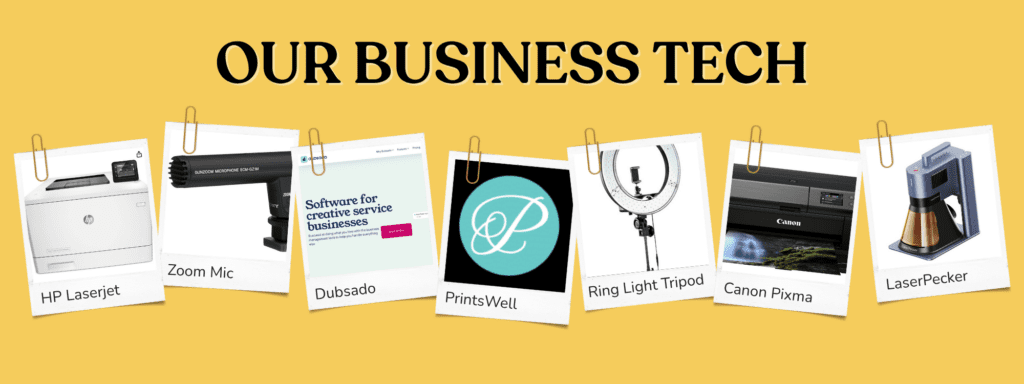
Dubsado manages all my client and project info. It sends contracts, proposals, invoices, collects payments, gathers leads, and is where I send proofs and collect final signoff for printing. It’s basically everything related to client communications. Discount: 30% off your first year!
AirTable / Trello
We are in the midst of a transition from Trello to AirTable for task management and content management. These are both basically giant, collaborative to-do lists that you can use to manage all your tasks! I have tried out a LOT of them and found these 2 to be my favorites.
Quickbooks
Accounting software! My accountant loves that I use Quickbooks. I hook up ALL my bank accounts and income streams to it for easy bookkeeping and tax payments. Discount: 50% off your first year!
Repurpose
Repurpose reposts all of our marketing materials – for example, if I post a Reel on Instagram, it’s automatically reposted to Pinterest, TikTok, and saved without a watermark into a Drive folder we can access later. This all happens automatically!
Tailwind
Tailwind schedules all of our Pinterest pins. If you’re a wedding vendor, then Pinterest is still a top platform for you! We pin our Etsy listings, our Reels, our product images, our blogs and YT videos, basically everything!
Canva
We use Canva Pro to collab on social media graphics mostly! I also usually make presentations in Canva when I need to give them. It’s not Adobe, but it’s quick and collaborative for any on-screen type designs.
Google Drive
Google Drive is our storage tool of choice. I use Sheets for all my address lists with my clients, I use Docs to write blog posts and emails, and I upload videos and documents to share as well.
Slack
We use the free plan to instant message and chat throughout the day. I also run a Slack Channel for our membership, Stationery School!
PirateShip
Get cheaper / easier shipping for packages with PirateShip. You can also upload addresses in bulk if you need to ship boxed wedding invitations!
Showit
We host our website on Showit! It’s very customizable – my web designer compared it to designing in Illustrator, and it’s kind of like that. For beginners, I recommend Squarespace for something that’s a little simpler. Discount: 1 Free Month!
Shopify
If you’re going to sell invites directly, then you can also host your website on Shopify! We sell all our digital downloads there.
Kajabi
Kajabi handles all email marketing, membership content, and course hosting and sales for us! Here’s a video breaking down how we use it. You likely don’t need Kajabi just for invitation sales, but if you get into courses then it’s a great platform!
I’ve detailed exactly how we use this platform to bring in over $100k annually in our full Kajabi for course creators review here.
OBS / Loom
I’ve used both OBS and Loom in the past for filming screenshare content and both are great! We are currently using OBS usually. It’s free and gives higher quality recordings.
Tech Type: Invitation Printers
Now for printers, I do have 3! But I actually try to outsource printing as much as possible and just have my home printers for smaller jobs, samples, emergencies, etc. If you’re going to invest in printers, I recommend an inkjet and a laser printer because each has benefits and together they give you a well-rounded system.
Inkjet
Mine is a Canon Pixma Pro!
Laser
Mine is an HP M452DW (new version: 454DW) – this one prints color and white ink Ghost toner.
Label Printer for Shipments
I use this Dymo for label printing – you never need to add ink or toner to a thermal printer, so they are great for stickers and labels.
Outsource Printers
These are not in-house, but 3 great stationery printers to start out with are PrintsWell (my #1 – this link gets you $25 off), LCI Paper, and Cards + Pockets!
Other Tech Supplies
Lots of these can be found in my Amazon Shop, but I’ll try to link any specific items below as well!
Yeti Mic
Great for YouTube recording or when I am a guest on Podcasts. If you don’t have a YouTube channel or podcast, there are a million phone mics these days that are amazing and cheap!
Doc Cam
Excellent for filming my hands with stationery!
Ring Light
Larger ring light for YouTube and Reels filming. A smaller one would work fine if I didn’t have a YouTube channel!
Sony A5000 (+ 5 Memory Cards and 4 Batteries)
LOTS of things needed for long-form video filming because memory cards fill up, batteries drain quickly, etc. I also have this Boom mic on top of the camera!
Docks: USB-C Dock, Outlet Dock, USB Dock
All of these various devices need to charge and be plugged in! Which requires lots of docks.
I have a USB-C Dock for attaching everything to my printer. I now plug in ONE USB-C cord and all my printers, monitor, etc. are hooked up.
Outlet Dock – I actually love this dock! I spins and has a million plugs and some USB plugs in it!
USB Dock – I use this one mostly for all my printers. It plugs into my USB-C dock which plugs into my computer (cords are so annoying).
My Computer (duh) + Extra Monitor
I am an anomaly in the design world and still use a PC, but I will likely be switching to Mac on my next purchase. I currently use a Dell XPS15 and an external monitor like this one. Usually, “gaming” computers work well with graphic design files and programs. I would recommend getting as much RAM as you can afford – you won’t regret it.
Tripods of Various Sorts
Let’s see – I have a tripod on my ring light for my SLR camera.
I have this one that’s heavy and works well for my phone – it’s probably my favorite for Reels on my phone.
The Canvas Lamp serves as a tripod + light if light is an issue for you. Full review here! My link gets you 10% off!
I also recently got a Moft foldable magsafe one and I use it a lot! I take this one with me on trips and it’s really helpful.
Postage Scale
A postage scale is great for weighing things for mailing! I got mine from a Stamps.com promotion a while back, but any of the Amazon ones are probably good. If you’re doing packages you might want one that goes up to 30+ lbs.
External Hard Drive
For backing everything up! Very important.
Laser Cutters
I’ve been given 2 laser cutters in my time, in exchange for reviews. So keep that in mind – it’s not a huge part of my business, but I did also purchase one halfsies with a friend of mine before being given the others. I like having access to them but they aren’t fully necessary for every invitation business.
These links will give you discounts, and here’s a full laser cutter review comparison of all 3!
PHEW – that was a lot! I can’t believe how many gadgets and softwares we use every day to run our stationery business! And I probably forgot a couple. If these are helpful, let us know – we often have larger videos or reviews that you can check out if you want to know more about any of this tech.


Behind the scenes with your favorite Stationery Auntie Laney (and all the inside scoops!)


