


Laser cutting is a fun hobby, and can bring in a good income for you as well! As a wedding invitation designer, I have been excited to test out and publish a laser cutter review for wedding invitations and stationery projects. There are a few things you should know before investing in a laser cutter yourself.
I wanted to share the 3 different laser cutters that I own, review all 3, and talk about pros and cons of different laser cutters specifically for stationery designers. The right laser cutter for you depends on what you’re cutting, what your space looks like, and a few other factors! There’s no right answer for everyone so keep reading to learn about the Glowforge Pro, the xTool M1 Ultra, and the LaserPecker LP5 laser cutter review.
Home laser cutters vs. Pro laser cutters
All of my laser cutters are more “home” models, meaning that they are accessible for beginners and don’t require any specific venting – generally, just venting out a window is plenty. There are much larger and more professional laser cutters that will require some expertise to get set up, specific filters and maintenance, and potentially custom venting to operate safely. The three laser cutters reviewed here are all accessible as starter laser cutters though.
Beginner Laser Cutter Overview
Laser Cutter Review – Glowforge Pro Overall Review
The Glowforge Pro is the most powerful of my lasers at 45W. It’s also the largest laser and my only CO2 laser, meaning it can cut clear acrylic in addition to colored acrylic, wood, paper, etc. I think of the GlowForge as my powerhouse and use it when I need things cut faster, or a lot of pieces, or larger pieces. While I would not call the GlowForge “complicated” to put together or operate, it does require more assembly and maintenance than my other two lasers. It also requires a bit more specific venting to operate safely.
The trade-off is quite good for what you get though. For the price (currently $5,999 but up to $500 off with my link), it’s a really good all-around starter laser. GlowForge is so popular that a lot of tutorials exist, there are several very active Facebook groups, and the overall user interface is better than most! I think if you start with the GlowForge Plus, you’ll quickly wish you’d gone with the Pro so I would recommend starting there! The biggest con with the GlowForge is that their customer service and product reviews haven’t been as good lately. I have never had issues with my machine, personally, but I think they as a company have had some recent struggles.
Laser Cutter Review – xTool M1 Ultra Overall Review
The M1 Ultra is an amazing all-around tool – it has laser cutting, blade cutting (think: Cricut), AND inkjet printing all in one. As a standalone laser, it’s less powerful than the GlowForge (10 or 20W), and can cut fewer materials since it’s a Diode laser (mostly: it can’t cut clear acrylics), but as an overall crafting tool it’s got more capabilities. Plus, the price is right at only $1,099 currently. I love that you can switch back and forth for different modes and the print and cut is *perfect* every time because you’re printing and cutting without moving the paper. I highly recommend the inkjet module, and in general starting with the most powerful laser you can afford because you’ll quickly want more speed / power after you start playing.
If you want to cut more, and use something more powerful, my friend recently got the xTool P2S and has been really pleased. More on that later, but I would feel confident recommending it as an option to the GlowForge Pro if you want to start at a higher level and with a CO2 laser! // Read my original full review here!
LaserPecker LP5 Overall Review
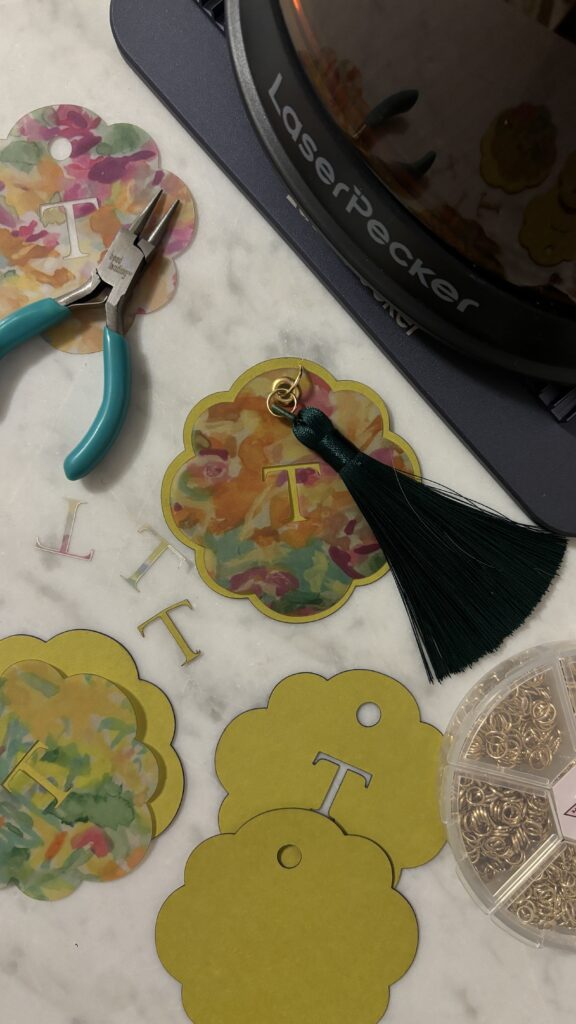
The LaserPecker LP5 is designed to be a super portable and compact laser, which I love as someone with a tiny office (these other lasers have to live in my creepy unfinished basement where I can vent them). This one is also portable! Imagine taking this one on the job with you – you could laser engrave gift tags on the spot at a craft market, for instance. The LaserPecker LP5 is a fiber + diode laser, and is billed as an engraver more than a cutter but does cut thin materials. This one is quick, easy to set up, and it’s also my favorite for paper cutting! You can switch between the fiber and the diode laser for different materials. The downside for this one is laser design size – it’s a little under 5×7”, so this one only works on smaller pieces.
Laser Cutter Specs
Glowforge Pro Specs
- Bed size: ~11×19.5” cutting area
- Material thickness to cut through: up to 2”
- CO2 laser / 45W
- Current Cost: $5,999 (up to $500 off with my link!)
xTool M1 Ultra Specs
- Bed size: Laser Mode: 115.16″ x 11.81” / Blade Mode: 14.37″ x 11.81″
- Material thickness to cut through: up to 10mm in one pass
- Diode laser / 10 or 20W
- Current Cost: $1,099 (save with my link!)
LaserPecker LP5 Specs
- Bed size: 120 x 160mm cutting area
- Material thickness to cut through: up to ~1cm depending on material
- Fiber + Diode lasers / Each 20W
- Current Cost: $2,999 (save with my link!)
Projects


Materials
Depending on the materials you need to cut, you might prefer a specific type of laser!
Acrylic
If you need to cut clear acrylics (or a lot of acrylic), then I highly recommend a CO2 laser from xTool or GlowForge (my friend recently got the P2S and is a big fan!). They are more expensive, but diode lasers simply cannot cut acrylic as well.
Paper
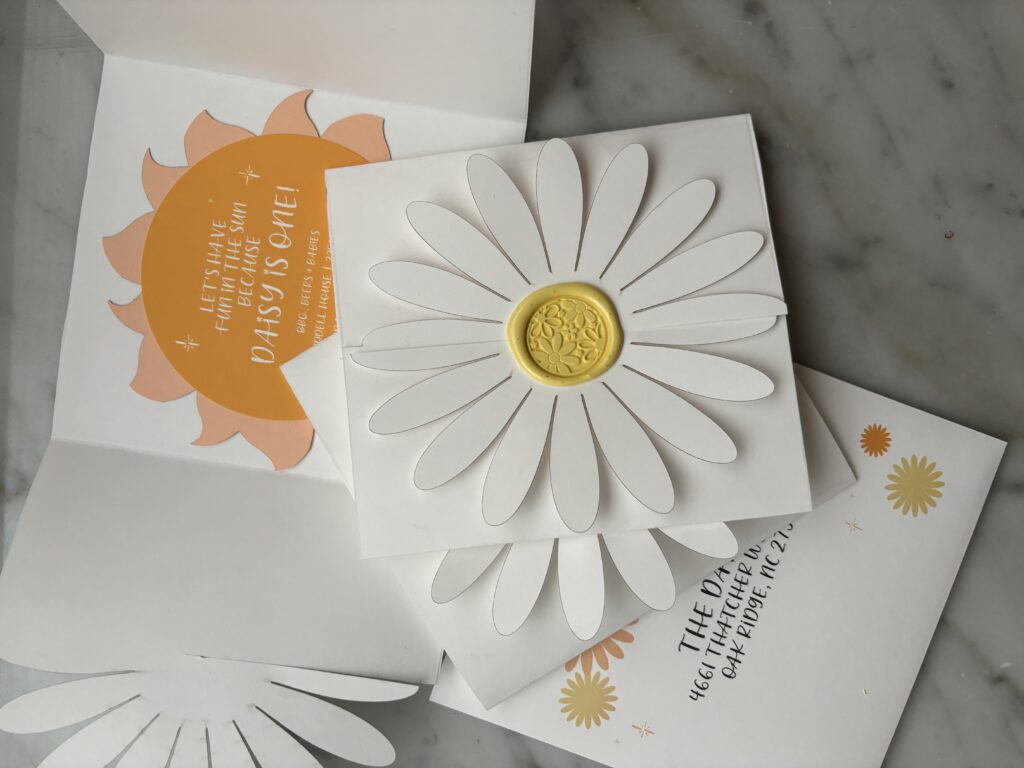
I’ve found all 3 of these to be good for laser cutting paper! Personally, the LaserPecker has been my favorite, but it’s got a small bed. The xTool is my favorite for larger paper cutting.
Wood
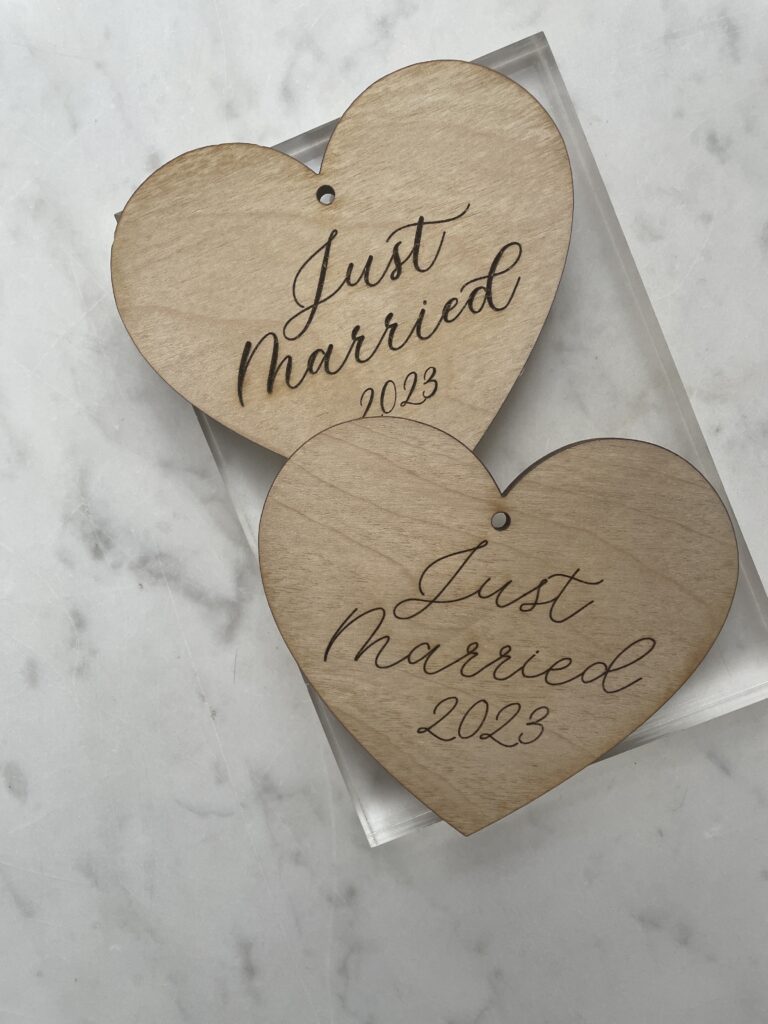
The xTool did a great job on wood, as did the GlowForge. The LaserPecker is great for engraving wood, but less so for cutting it. The LaserPecker is fun for larger pieces of wood because you can pick it up and engrave on-site!
Leather
All of these machines have done really well with both engraving and cutting leather!
Metal
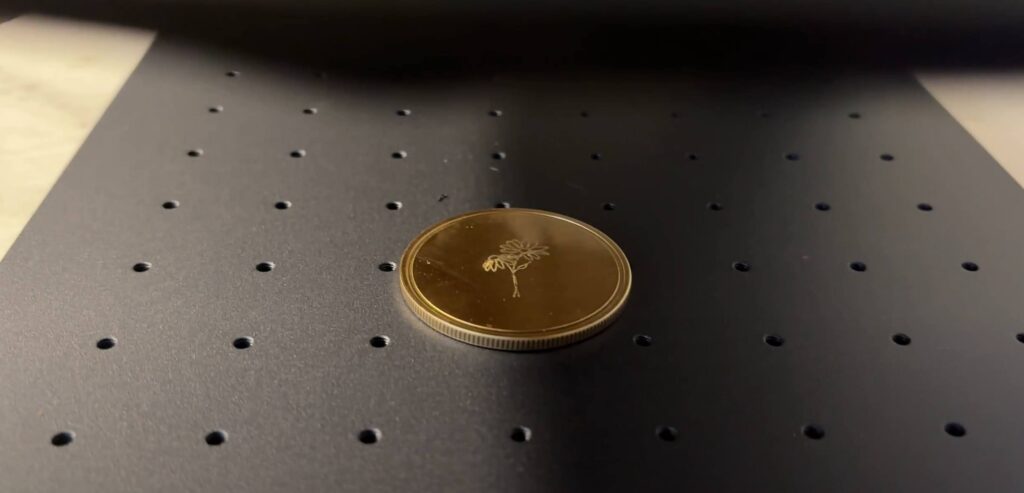
The LaserPecker is designed to be great at laser engraving metal! You can make your wax seals, engrave coins, etc.
Laser Cutting Paper
Laser cutting paper is sometimes tough. Mostly because the edges of the paper “char” or burn when cut with a laser. This char can be visible on the paper’s edges, and it can also smear onto the paper. For this reason, blade cutting is often preferred for paper.
However, laser cutting paper can give you more intricate designs and faster results. I have personally found all 3 of these machines to be good for laser cutting paper if you get the settings right – and the settings can vary a little based on the exact paper. My best recommendation is to make sure you have extra paper and can do a good bit of testing. You’ll want the power to be low and the speed to be high for avoiding burn marks on your paper. Laser cutting on dark paper is often preferred, and I like to wipe down the edges after cutting too.
The LaserPecker was my favorite for cutting paper, but since it’s so small, I’d usually recommend the xTool.
Which Laser Cutter is best for Stationery Design?
It depends on what you’re cutting somewhat! I would recommend the xTool as a good well-rounded option, or upgrading to a CO2 laser. I’d likely recommend the other xTool CO2 lasers over the GlowForge these days, just because their product and service reviews have been a lot better lately! I think the GlowForge is a good starter machine, but everyone I know who has had one has outgrown it eventually.
If acrylic is a big part of your business, especially clear acrylic, definitely check out the xTool P2S ($3,799 currently). It’s also cheaper than the GlowForge Pro! The xTool P3 is new and I’ve definitely got my eye on it as well! If you’re mainly planning to cut a lot of paper, you might want to look into digital die cutting instead of laser, but you can definitely do a lot with laser too. You’ll just need to get your settings figured out.
Laser Cutting Software Reviews
My LEAST favorite part about laser cutting is the software. (Is there a laser cutter that will cut directly from Illustrator??? Because if so, hit me up!). In general, I think my best recommendation for designers is to design where you feel comfortable, and then bring into the cutting software. For me, that’s Adobe Illustrator. I save as an SVG and import into xTool Creative Space or LaserPecker Design Space, or save as a PDF to import to GlowForge’s.
Truly, I think xTool’s is the best of the 3 options, but none of them are substitutes for real design programs. I’m a graphic designer, so this is obviously a big deal to me – if you’re not, then I think xTool’s space is the most user-friendly. However, GlowForge’s space is very user-friendly since it’s been popular longer, so if you are a tutorial kind of learner, then I think you’ll like GlowForge for many reasons!
Overall Thoughts
Overall, I love all 3 of these lasers for different purposes. If you’re doing more complex laser cutting or plan to use it a lot, I would definitely start with a CO2 laser – the GlowForge Pro is a good starter one, as is the xTool P2S.
If you’re looking for something to bring on the go and don’t need to make large cuts, I love the LaserPecker for that style of project!
And the xTool M1 Ultra is a really good in-between since it can cut larger things and also has the blade cutting (important for me because paper is a big material in my business!).
The right machine for you will depend on your needs, but these are all great choices if they have the features you need.


Behind the scenes with your favorite Stationery Auntie Laney (and all the inside scoops!)


